Support center +352 26 52 19 49
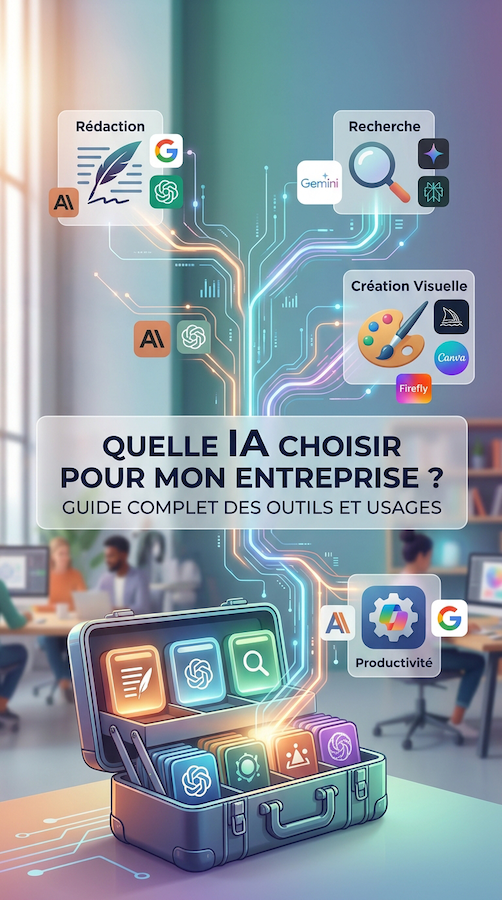
Writing text, creating images, analysing documents, searching for information, generating videos, developing websites or even automating certain tasks: today, there is a wide range of tools available to support us in both our professional and personal lives.
But with so many solutions available, one question comes up time and again:
Which AI should you choose?
Not all artificial intelligence tools are designed for the same purposes. Some excel at writing, others at research, visual creation, development or productivity.
The goal is therefore not necessarily to find the best AI, but rather to find the right tool for your needs.
Let's start with one of the best-known tools: ChatGPT.
It can be used for a wide variety of tasks: writing or rewriting text, generating ideas, summarising documents, translating, analysing files, working with data, searching for information or even creating and editing images.
It is particularly useful for businesses looking to save time on everyday tasks.
💡 Best suited for:
Writing and rewriting
Brainstorming and generating ideas
Document summarisation
Translation
Data analysis
Development assistance
Information research and analysis
Content creation
ChatGPT is therefore an extremely versatile tool when you need an assistant capable of switching from one task to another.
Gemini, developed by Google, is another major general-purpose AI solution.
Its main strengths include its integration with the Google ecosystem and its research and analysis capabilities. Its Deep Research feature, for example, can conduct in-depth research and generate reports based on multiple sources.
💡 Best suited for:
Information research
Analysis and summarisation
Working with documents
In-depth research
Tasks related to the Google ecosystem
For businesses that already use Google tools on a daily basis, this integration can be particularly valuable.
Developed by Anthropic, Claude has also established itself as one of the leading AI assistants.
It is particularly appreciated for tasks requiring extensive context, especially writing, document analysis and certain programming tasks.
Claude is also widely used for software development and advanced coding workflows.
💡 Best suited for:
Long-form writing
Document analysis
Information summarisation
Critical thinking and reasoning
Programming
Processing complex content
For businesses already using Microsoft 365, Copilot can be particularly useful.
It integrates with everyday applications such as Word, Excel, PowerPoint, Outlook and Teams. It can help users write documents, analyse data, prepare presentations and organise certain tasks.
💡 Best suited for:
Business documents
Emails
Presentations
Data analysis
Work organisation
Business productivity
Its main advantage is having AI directly integrated into the tools that teams already use.
When it comes to visual creation, other tools come into play.
Midjourney is particularly well known for generating images from text descriptions.
It can be used to explore graphic styles, create visual concepts, find inspiration or develop artistic directions.
💡 Best suited for:
Visual inspiration
Creative concepts
Graphic styles and visual identities
Illustrations
Artistic exploration
For a communication agency, this type of tool can be particularly useful during the research and experimentation stages.
Adobe also offers its own artificial intelligence tools through Firefly, specifically designed for creative professionals.
Its main purpose is to simplify certain stages of image creation, editing and graphic design.
💡 Best suited for:
Graphic design
Image generation
Image editing
Visual variations and adaptations
Creative experimentation
For professionals already working with the Adobe ecosystem, integrating AI into their creative tools can represent a significant time-saver.
Canva is aimed more at users who want to create visual materials easily, without necessarily having professional graphic design skills.
With its AI-powered features, it can help



Hello! 👋
I am LB Digital’s virtual assistant. Feel free to ask your questions!